✓ TWO PRODUCTS · FREE SAMPLES OF BOTH · NO SIGNUP

Two Ways to Prepare for the 11+

We offer two separate solutions. Use either on its own, or both together.

GL Assessment SEAG Independent 11+ CEM
★★★★★ 4.98/5 from 618 verified reviews Trusted by 10,000+ UK families 12 months access on every pack Free samples · no signup
✨ New · the Quest app

Turn 11+ practice into a game they actually want to play

Quest is our practice software: three main practice areas — Quests, the Exam Hall and Flashcards — plus a Skills Report and exam plan for parents, and now a Weekly Challenge, a hero to earn and a working-out board. Shown here: the GL Assessment edition, our most popular. SEAG, Independent and CEM work the same way.
★★★★★ 4.98/5 from 618 reviews Trusted by 10,000+ UK families
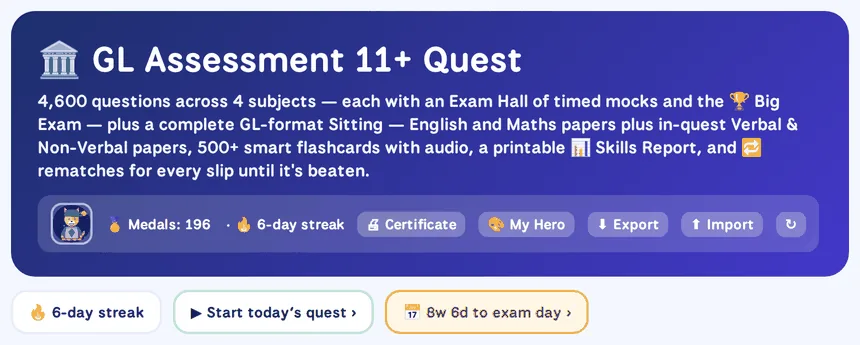
GL Assessment 11+ Quest
The GL Assessment 11+ Quest home screen header: 4,600 questions across 4 subjects, the child's hero and medal count, a six-day streak, and the Certificate, My Hero, Export and Import buttons

The Weekly Challenge New

Each week a friendly Guardian — Count Countdown, Ms Mixup, Dot the Data Dragon and friends — guards one topic: ten untimed questions, weakest subtopics first, one try a day until Sunday. Score 7 out of 10 to meet the Guardian and add it to the album; misses go to My Corrections. No timers, no defeats, no chance rewards.
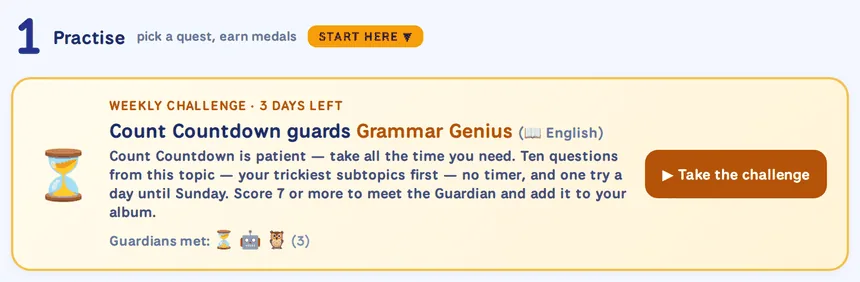
The Practise section with the Weekly Challenge card: Count Countdown guards Grammar Genius, three days left, three Guardians met

Maths Quest

1,560 questions across every GL maths topic, in bite-size subtopics with Bronze to Platinum medals to win on each. The Exam Hall inside runs three timed mock papers and the Big Exam — and every slip, in a test or a mock, is logged in My Corrections to retake later.

Maths Quest card: 1,560 questions, Exam Hall and Daily, 56 of 199 medals won

Word Quest English

1,040 questions on spelling, punctuation, grammar and comprehension, with its own Exam Hall of timed mocks and the Big Exam. Every slip is logged in My Corrections until it's beaten.

Word Quest English card: 1,040 questions, Exam Hall and Daily, 47 of 134 medals won

Code Quest Verbal

1,600 verbal reasoning questions covering the GL question types, with puzzles that draw themselves on screen.

Code Quest Verbal card: 1,600 questions, Exam Hall and Daily, 69 of 160 medals won

Shape Quest Non-Verbal

400 non-verbal reasoning questions — shapes, sequences and codes — with 40 medals to collect.

Shape Quest Non-Verbal card: 400 questions, Exam Hall and Daily, 24 of 40 medals won

Flashcards — Word & Facts Trainer

580 cards with spaced repetition: get one right and it waits longer before coming back; miss it and it's back tomorrow. Little and often, and it sticks.
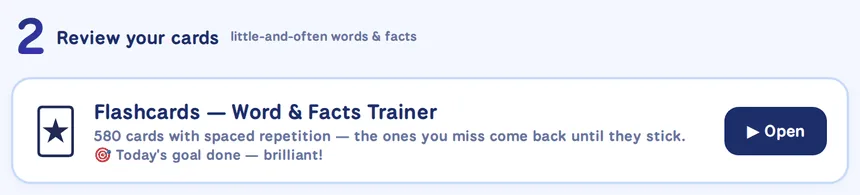
Review your cards section with the Flashcards Word and Facts Trainer: 580 cards with spaced repetition, today's goal done

The GL Sitting — official-format papers

A 50-minute English paper and a 50-minute Maths paper built to GL Assessment's own structure, plus full-length Verbal and Non-Verbal Reasoning papers that open inside their quests.

Second Chance: every slip in a paper is logged in My Corrections for a rematch later, so nothing is left unlearned.
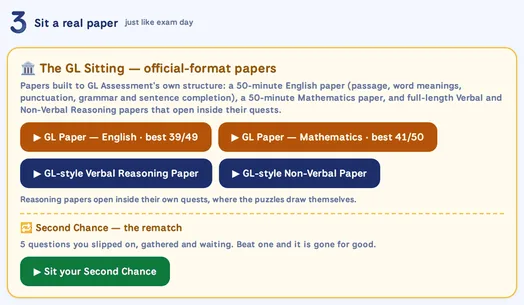
Sit a real paper section: the GL Sitting with English and Mathematics papers already sat, the Verbal and Non-Verbal papers, and five slips waiting in Second Chance

My exam plan For parents

Set the exam date and a dated, week-by-week plan appears — covering the whole syllabus, unmedalled topics first, and updating itself as medals are won.
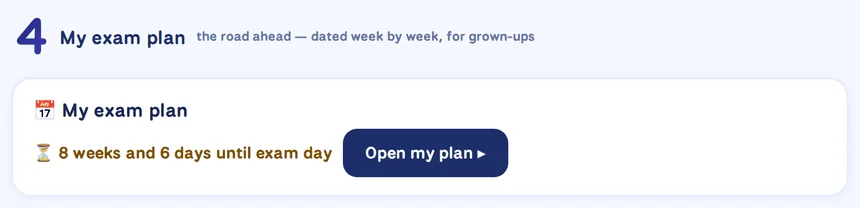
My exam plan section: eight weeks and six days until exam day, with an Open my plan button

Skills Report For parents

Every skill graded from the medals and exams: what's exam-strong, what needs work and what to practise next, with an exam-readiness verdict, eight-week trends and the Guardians met. Printable, with an optional grown-up PIN.
Skills Report section: every skill graded from the medals and exams, printable for grown-ups
Also new this September

A hero to earn, and room to work things out

Two more additions to every edition of Quest, alongside the Weekly Challenge above.

My HeroTap 🎨 My Hero in the header and your child builds their own character — ten characters, outfits, hats, extras, a friend and a backdrop, all drawn inside the app. Every item is unlocked by learning: medals won, day streaks, corrections beaten and Guardians met — never by chance or time spent. The hero sits in the header as a small reminder of what's been earned.
Working out — under every questionEvery question in every test, mock, paper and daily five has a ✏️ Working out board underneath: draw with a finger, stylus or mouse in four inks, with a thick pen, an eraser and undo. The working stays with its question while your child moves back and forth through the test, so on-screen practice still gets the pen-and-paper thinking.
Try a free Quest ↓

Available for GL Assessment, SEAG, Independent 11+ and CEM — pick your exam board below.

Quest is a separate product from our printed papers below — plenty of families use both, but neither one needs the other.
🖨️ Printed papers · no screen needed

Real papers on the kitchen table, with a tutor on hand for every question

Print full-length papers in the real exam format, sit them under timed conditions, then watch a tutor work through any question your child got wrong. Every question has its own short video.

Nine sample pages — click any page, or a thumbnail, to see it up close
Sample videos are on each exam board's free samples page below ↓
Up to 24papers per board
1,200+tutor videos
12 monthsaccess
From £19per Test Pack
1

Download from your dashboard

Every paper you own, ready as a PDF on any device.

2

Print it and sit it

Real format, real answer sheet, real timing.

3

Watch the walkthrough

A tutor explains every question, step by step.

📄 Try a free paper first ↓

Available for GL Assessment, SEAG, Independent 11+ and CEM — pick your exam board below.

Frequently Asked Questions

Everything parents ask about Quest, the practice papers and the free samples.

What is the difference between Quest and the practice papers?

They are two separate products. Quest is our interactive practice software: your child practises on screen through Quests with medals to win, sits timed mock exams in the Exam Hall, reviews flashcards, and parents get a Skills Report and a week-by-week exam plan. The practice papers are full-length PDF tests in the real exam format to print and sit, with a tutor video explaining every question. Plenty of families use both, but neither one needs the other.

Are the samples really free?

Yes. Every exam board has a free Quest demo you can try in your browser, plus a free sample paper with its answer key and a sample tutor video. You don't sign up, register or enter payment details. The samples are the same quality and format as the full products — just a smaller taste so you can judge before buying.

Do I need to give my email address?

No. Nothing on the free samples page is gated. There is an optional email signup if you'd like to hear about new free papers and 11+ exam date reminders, but it is never required.

Which exam boards do you cover?

Both products come in four editions: GL Assessment (used by most state grammar schools, including Kent, Bucks and Trafford), SEAG (the Northern Ireland transfer test), Independent 11+ (ISEB Pre-Test and schools' own papers) and CEM (Birmingham's King Edward VI Foundation and CEM Select). Each edition matches its own syllabus and paper format, so you only see what your child's exam actually tests.

What does the Quest software include?

A Quest for each subject, broken into subtopics with Bronze, Silver, Gold and Platinum medals to win. Inside every Quest is the Exam Hall — three timed mock papers and the Big Exam — and every slip in a test or mock is logged in My Corrections to retake until it's beaten. There are official-format sitting papers, hundreds of smart flashcards with audio, a daily five, a Weekly Challenge set by a friendly Guardian character, a hero your child customises with items that unlock through learning, a working-out board under every question, a printable Skills Report with an exam-readiness verdict, and an exam plan that maps every week to the exam once you set the date. The GL Assessment edition alone has 4,600 questions across English, Maths, Verbal and Non-Verbal Reasoning.

Does Quest work on a tablet or phone?

Yes. Quest runs in an ordinary web browser on a laptop, tablet or phone — there is nothing to install. Progress is saved on the device it's used on (or to your account on our site if you're logged in), and it can be exported and imported to carry it between devices.

What do the practice papers include, and what subjects do they cover?

Full-length papers in the real exam format, a separate answer sheet just like the one used on the day, full answer keys, and a tutor-led video walkthrough for every question — so your child sees exactly how each answer is found. The GL Assessment and Independent papers cover English, Maths, Verbal Reasoning and Non-Verbal Reasoning; the CEM papers cover Maths, Verbal Reasoning and Non-Verbal Reasoning; the SEAG papers cover English and Maths, the two transfer-test subjects.

Are the materials up to date for 2026/27?

Yes. The papers are written for the 2026/27 admissions cycle and match the current published test specifications from GL Assessment, CEM (Cambridge Assessment), ISEB and Schools' Entrance Assessment Group, and each Quest edition is built to the same formats — down to the timing and structure of its official-format sitting papers.

How do these compare to CGP or Bond?

Our materials are written by tutors who actively prepare children for these specific tests, not by general curriculum publishers. Two things set them apart: every practice-paper question has a tutor video showing how to solve it step by step, and Quest turns practice into something children want to keep doing — medals to win, timed mocks, and every mistake kept in My Corrections until it's beaten. Try the free samples and compare for yourself.